What it replaces
The legacy system was a 50+ page PDF of Banquet Event Orders, plus printed hard copies that circulated on shift. Captains, banquet managers, and the Director of F&B were all working from the same document, but everyone was reading their own copy — with no shared signal for what had changed, what was new, or what needed eyes today.
What we built
A live, role-aware dashboard that turns the BEO PDF into something the floor can actually use under load:
- Daily event view — what’s happening today, surfaced in the order the floor needs it
- Houseman plan + live modes — workforce planning that flips to a live operating view as the shift starts
- Per-event detail drill-downs — the same content the printed PDF carried, but searchable, filterable, and current
- Google Sheets integration — pulls from systems already in place rather than asking the team to re-enter data
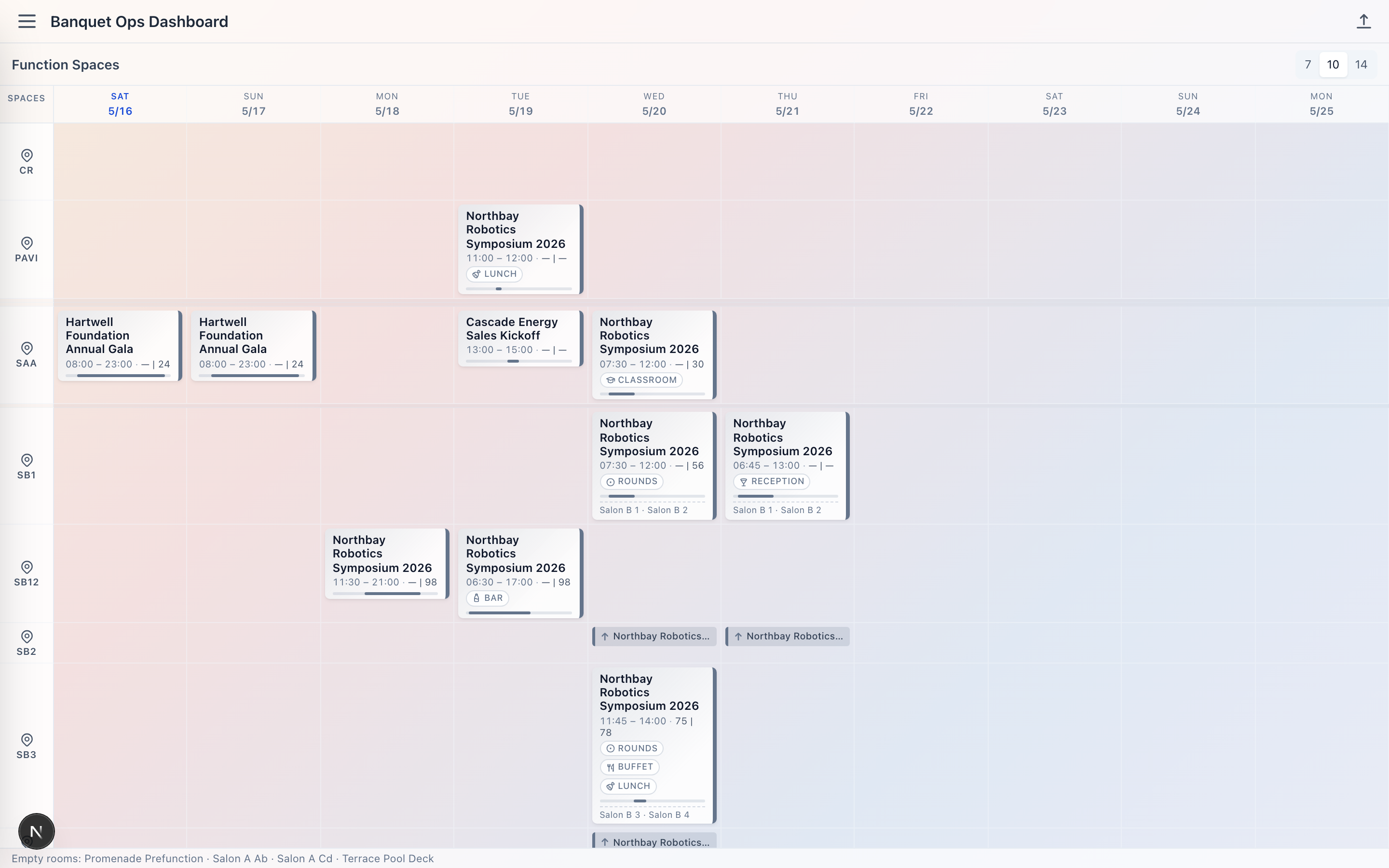
Function space timeline
A read of the whole property over the week ahead — every booked space, plotted against time. Banquet managers use this to spot conflicts, gaps, and the shape of the operating week at a glance.
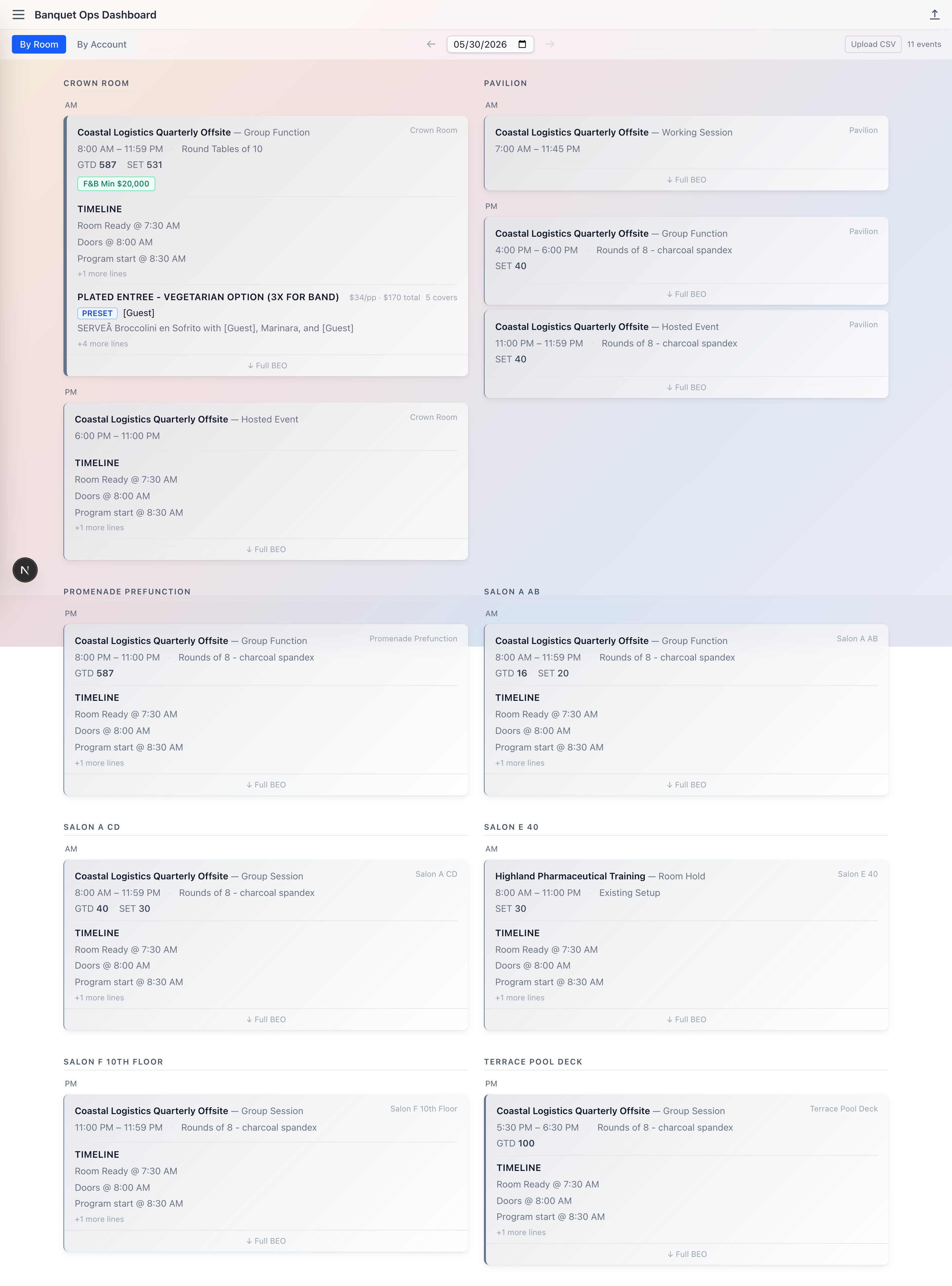
Daily event view
The floor opens to today. Rooms grouped left-to-right, events stacked by start time, with guarantee counts, setup notes, and timeline previews surfaced inline.
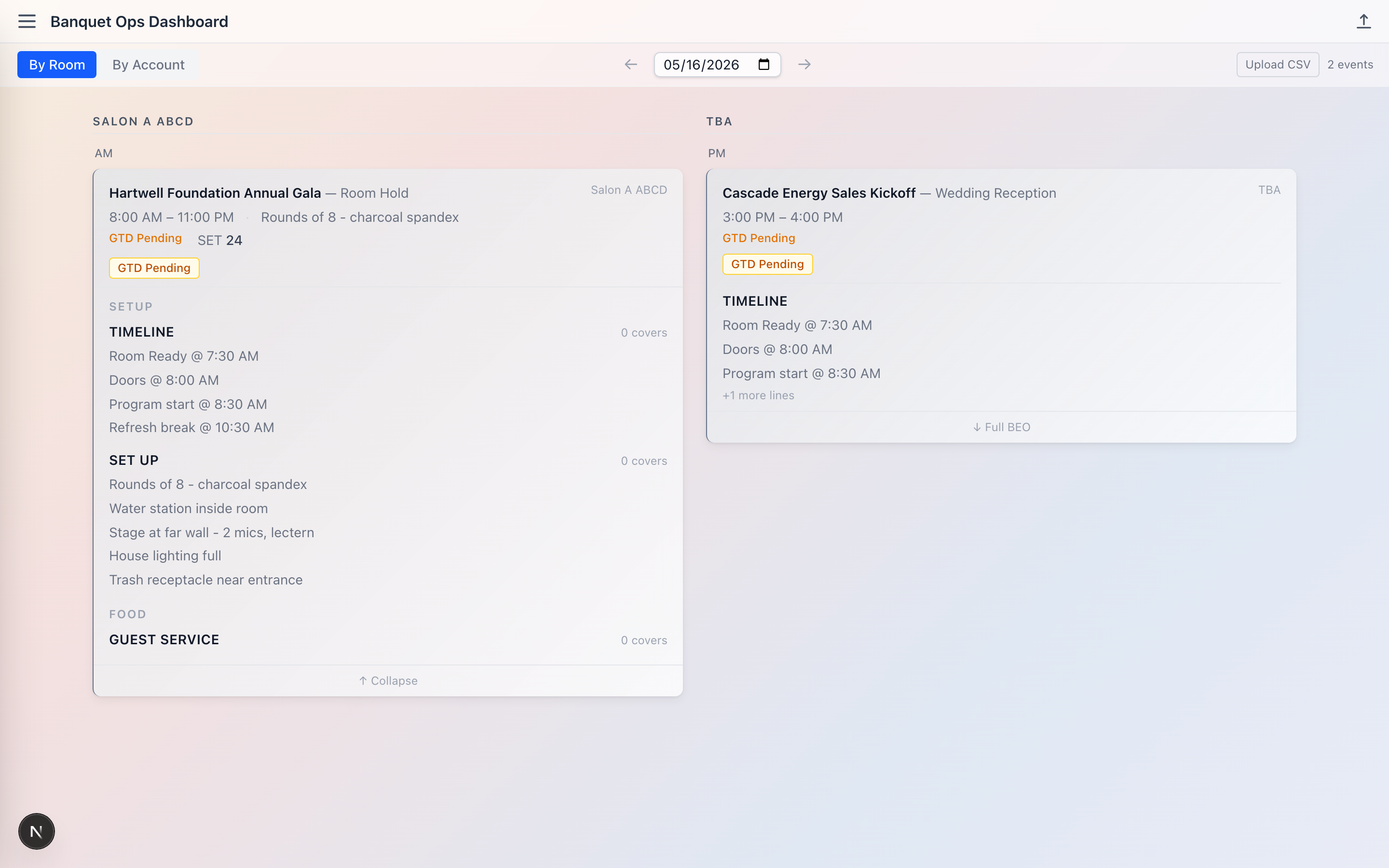
Per-event drill-down
Tap into any event to see the full BEO content — timelines, setups, F&B, AV, and additional notes — restructured from the printed PDF into something searchable and current.
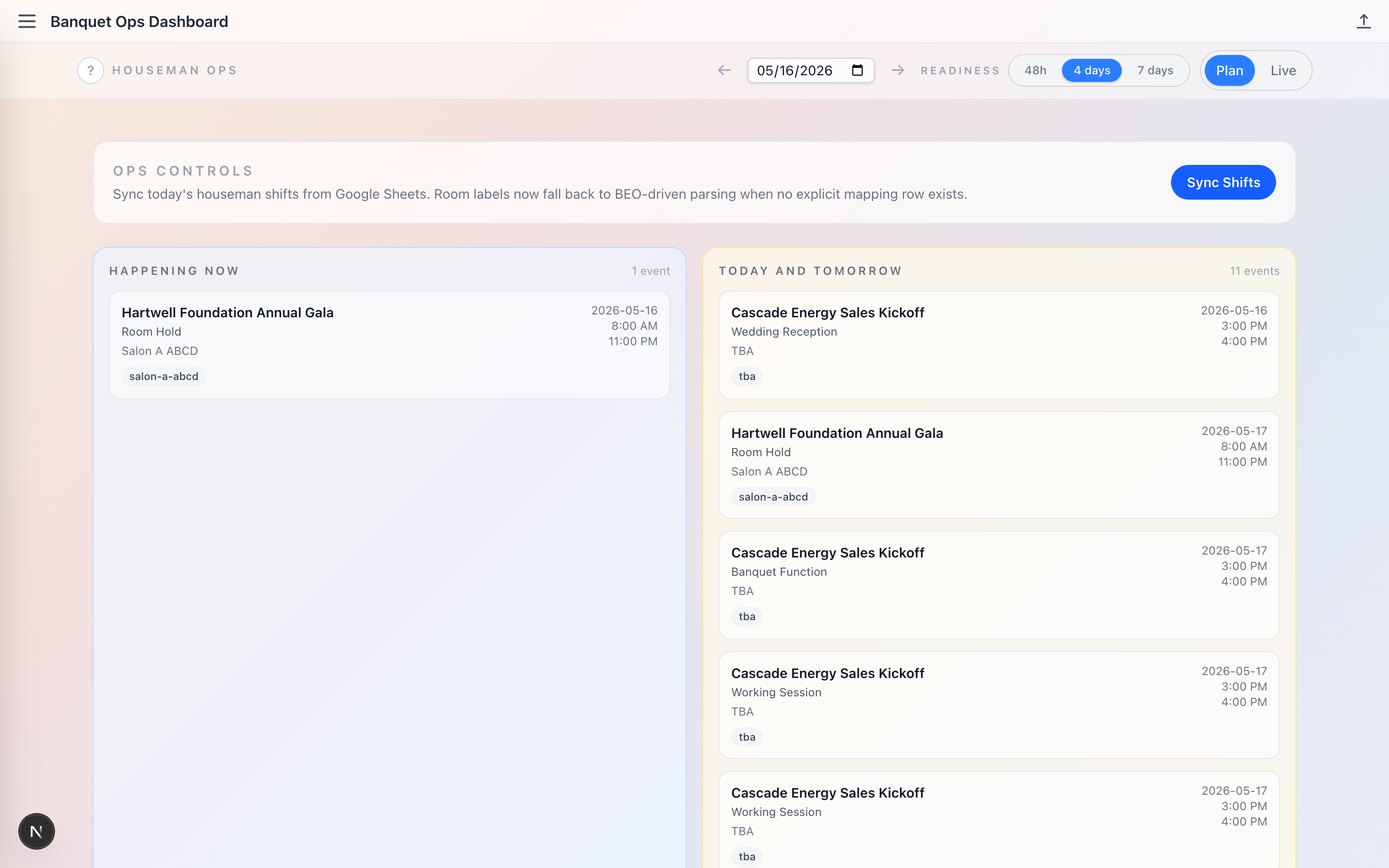
Houseman plan + live modes
Workforce planning that splits into "happening now" and "today and tomorrow" lanes. Plan mode for tomorrow’s prep; live mode for the room readiness state as captains walk the floor.
Outcomes
These are real, attributable outcomes from the live deployment. Nothing fabricated.
- 5+ daily users, primarily leadership-tier — captains and banquet managers.
- Each user opens the dashboard 5–10+ times per shift. It’s a load-bearing operational tool, not a dashboard people check once.
- Director of F&B has integrated the dashboard into his routine. When access was briefly blocked for a testing window, he flagged the outage directly — an unprompted signal of how load-bearing the tool became.
- Replaces the legacy 50+ page PDF of Banquet Event Orders, plus the printed hard copies that previously circulated on shift.
Why this matters
For independent operators, the BEO dashboard is the template for what an Ops Platform engagement looks like — a custom tool sized to one property’s reality, replacing the spreadsheet or PDF that’s quietly become the system of record.
The principle holds across event ops, housekeeping, revenue, and workforce planning: build for the floor, not the deck, and let the team that runs the operation tell you what the screen needs to show.